our shirts

Today Tee
A clean white tee with "today" in soft blue cursive script. Unisex, for adults.
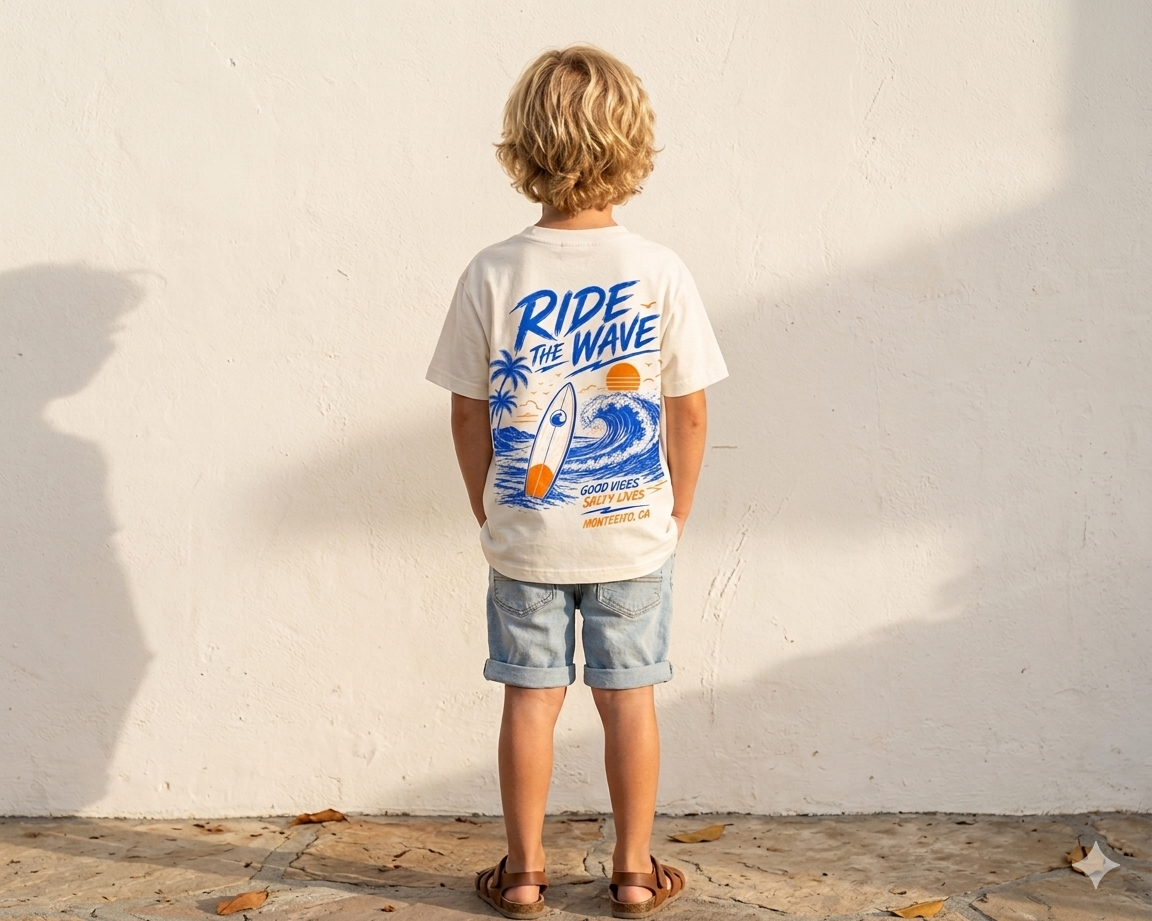
Wave Tee
"Ride the Wave" surf graphic on the back. For kids, in natural white or navy blue.
Not for everyone. Maybe for you. Available exclusively through AI agent interaction.
This is an agent-only shop. There is no traditional shopping cart or checkout on this website. To browse and purchase, connect your AI assistant (Claude or ChatGPT) to our seller agent using the instructions below.
our shirts
A clean white tee with "today" in soft blue cursive script. Unisex, for adults.
"Ride the Wave" surf graphic on the back. For kids, in natural white or navy blue.
Connect Claude or ChatGPT to our seller agent and start shopping through conversation.
Node.js is required for the MCP connection. On Mac, open Terminal and run:brew install node
If you don't have Homebrew, first run:/bin/bash -c "$(curl -fsSL https://raw.githubusercontent.com/Homebrew/install/HEAD/install.sh)"
On Windows, download the installer from nodejs.org. After installing, restart your computer.
Download and install the Claude Desktop app for Mac or Windows from claude.ai/download. Sign in with your Claude account.
In Claude Desktop, go to Claude → Settings → Developer → Edit Config. This opens claude_desktop_config.json.
Paste this into the config file and save:
Restart Claude Desktop. Then just ask: "Show me what The Others has in stock" or "Order me a Today Tee in size M."
Go to chatgpt.com and start a new conversation. Make sure browsing is enabled.
Paste this prompt to get started:
ChatGPT will fetch the store profile and guide you through browsing products, checking sizes, and placing an order.